

The Ultimate Guide to Software Testing: Concepts, Types, Tools, and Best Practices

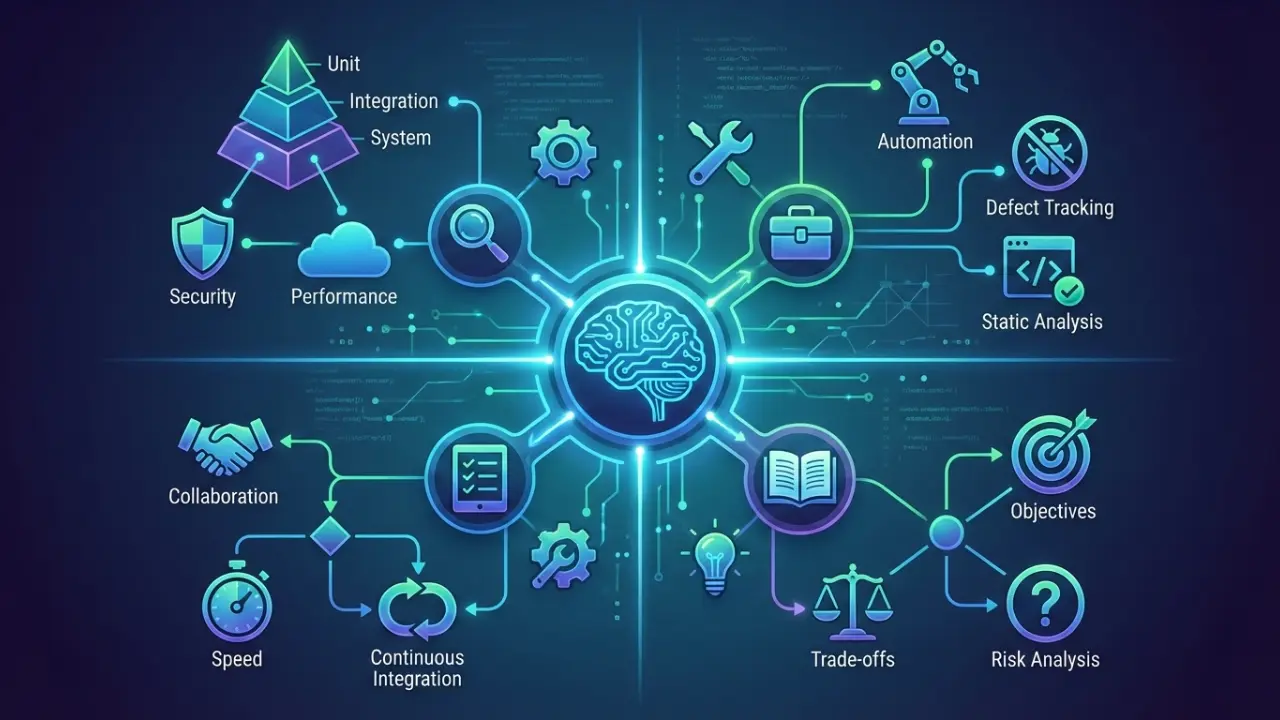
Software testing is a crucial part of the software development lifecycle that ensures applications are reliable, secure, and user-friendly. It involves verifying that software works as intended, meets user requirements, and performs well under real-world conditions. Testing can be manual, for exploratory and usability checks, or automated, for repetitive, regression, and CI/CD scenarios.
Core testing types include unit, integration, system, acceptance, regression, functional, and non-functional testing, while approaches like white-box, black-box, and grey-box testing provide thorough coverage of both code and user experience. A structured testing process covering planning, execution, defect reporting, documentation, and continuous improvement helps catch issues early and maintain quality.
Popular tools like Selenium, Playwright, Ranorex, and BrowserStack, along with AI-powered testing platforms, support efficient and scalable QA workflows. By following best practices, addressing common challenges, and staying updated with trends like AI-driven testing, CI/CD integration, and cross-platform validation, testers can enhance software quality, reduce errors, and deliver products that satisfy users. Mastering these fundamentals equips beginners and professionals alike to contribute effectively and build a successful career in QA.
The Ultimate Guide to Software Testing
In today’s fast-paced software world, delivering high-quality, reliable, and secure applications is more critical than ever. Whether you’re a beginner tester, developer, or a tech enthusiast, understanding software testing is essential to ensure your software meets user expectations.
This guide walks you through everything from the basics of software testing, types of tests, processes, and tools to best practices. By the end, you’ll have a solid foundation to start testing software confidently or improve your QA knowledge.
Why this matters: Proper software testing prevents costly errors, improves user experience, ensures security, and builds trust in your product.
What is software testing?
Software testing is more than just running an app and clicking buttons. It’s a systematic process to evaluate software and ensure it works as expected, meets user requirements, and delivers a smooth, secure experience.
Why Software Testing Exists
Software today is complex, often with multiple modules, integrations, and external dependencies. Testing ensures:
- Accuracy: Each feature works correctly.
- Reliability: Software doesn’t fail under real-world conditions.
- Security: User data and sensitive operations are safe.
User Experience: Interactions are smooth, intuitive, and error-free.
Real-World Examples
- Messaging Apps: Testing ensures that messages are delivered without delays or errors.
- E-Commerce Platforms: Payment gateways are tested for secure, accurate transactions.
Banking Apps: Login flows, fund transfers, and account balances are verified to avoid security and accuracy issues.
Verification vs. Validation:
- Verification: Are we building the software right? (Does the code meet specifications?)
- Validation: Are we building the right software? (Does the software meet user needs?)
Software testing also helps reduce costly errors in production and ensures that the product is trustworthy, functional, and user-friendly.
Why Software Testing Matters
Testing is not just a checkbox it’s critical for quality, security, and reliability.
1. Quality Assurance
Testing ensures that new features don’t break existing functionality. Examples:
- Regression Testing: Ensures old features work after updates.
- Acceptance Testing: Confirms that software meets business and user requirements.
2. Security
Protecting sensitive data is non-negotiable. Testing helps catch vulnerabilities that could lead to data breaches.
- Penetration Testing: Simulates cyberattacks to identify weak points.
- Security Testing: Checks authentication, authorization, and data encryption.
3. Reliability and Performance
Applications must work under normal and peak usage conditions.
- Performance Testing: Measures app speed and responsiveness.
- Load & Stress Testing: Evaluates behavior under heavy traffic or extreme conditions.
Industry Examples:
- Fintech Apps: Even minor bugs can cause financial losses or regulatory penalties.
- Healthcare Apps: Errors can compromise patient safety and compliance with regulations like HIPAA.
Testing builds confidence in software releases and prevents expensive mistakes, keeping users satisfied and companies’ reputations intact.
When to Test
Testing should not be an afterthought; it’s continuous throughout the development lifecycle (SDLC).
Key Testing Moments
-
Before Development:
Identify unclear requirements and potential design flaws. Early testing prevents costly fixes later. -
During Development:
Developers or testers can run unit and integration tests to catch errors as they arise. -
After New Features:
Validate that new functionality works and doesn’t break existing features. -
When Modifying Features:
Confirm that changes align with updated requirements and do not create regressions. -
Bug Fixes:
Ensure fixes solve the problem and don’t introduce new issues. -
Before Refactoring:
Use tests as a safety net to confirm that restructuring code doesn’t break functionality.
Shift-Left Testing Approach:
- Start testing as early as possible.
- Use static techniques like reviews and walkthroughs to detect errors before code is executed.
- Early and continuous testing lowers cost, effort, and risk, while boosting quality and team confidence.
Types of Software Testing
Software testing is divided into functional and non-functional testing, with multiple approaches depending on goals and tools.
Functional Testing
Checks whether software works as intended
-
Unit Testing:
Validates individual functions/components. Example: Calculator addition function -
Integration Testing:
Ensures multiple components work together. Example: Login flow connected to payment processing. -
System Testing:
Tests the complete software for end-to-end validation. -
Acceptance Testing / UAT:
Ensures software satisfies users’ requirements and is ready for release.
Non-Functional Testing
Focuses on software performance, usability, and security
-
Performance Testing:
Checks speed, responsiveness, and stability. -
Load Testing:
Measures system behavior under peak traffic. -
Stress Testing:
Examines limits under extreme conditions. -
Usability Testing:
Evaluates user-friendliness and accessibility.
Manual vs. Automated Testing
Manual Testing:
- Ideal for exploratory testing, usability, and UI reviews.
- Detects unexpected issues, like confusing workflows or design inconsistencies.
- Pros: Flexible, human insights, intuitive problem detection.
- Cons: Time-consuming, not scalable.
Automated Testing:
- Uses scripts/tools to perform repetitive and regression tests.
- Examples: Selenium, Playwright, Ranorex.
- Pros: Fast, reliable, integrates with CI/CD pipelines.
- Cons: Requires setup, maintenance, and coding knowledge.
The right approach often combines both manual and automated testing, depending on project requirements.
Software Testing Process
A structured process ensures reliable, repeatable, and efficient testing.
Step 1: Planning & Preparation
- Define objectives, scope, and environment.
- Prepare test plans, test cases, and test suites.
- Align testing schedules with development cycles to catch defects early.
Step 2: Test Execution
- Execute manual or automated tests.
- Log defects using tools like Jira or Bugzilla.
- Re-test resolved issues to confirm fixes.
Step 3: Reporting & Continuous Improvement
- Provide clear summaries of passed/failed tests, critical risks, and recommendations.
- Maintain documentation for future reference.
- Refine test strategies and improve efficiency over time.
A well-defined testing process ensures that software meets quality standards, reduces errors, improves team collaboration, and builds trust with end-users.
Best Tools & Resources for Software Testing Beginners
The right tools make learning and implementing testing easier, faster, and more reliable.
Popular Testing Tools
-
Selenium:
Open-source tool for web automation testing. Supports multiple browsers and languages. -
Playwright:
Modern tool for cross-browser automation and end-to-end testing. -
Ranorex:
UI testing platform that’s beginner-friendly. -
BrowserStack:
Cloud-based testing for real devices and browsers. -
CoTester/TestGrid:
AI-assisted testing tools for enterprise-grade automation.
Learning Resources
-
Online Courses:
Udemy, Coursera, and Ministry of Testing offer beginner-to-advanced courses. -
Certifications:
ISTQB (International Software Testing Qualifications Board) enhances credibility. -
Community & Blogs:
Forums, tutorials, and blogs (like Frugal Testing or QA Wolf) provide hands-on guidance.
Choosing the Right Tool
-
Small teams:
Free or open-source tools like Selenium. -
Large enterprises:
BrowserStack or AI-assisted tools for scalability. -
Security-focused apps:
Tools specialized in penetration testing and API testing.
Pro Tip:
Beginners should practice using tools in real-world scenarios to build confidence and experience.
Best Practices in Software Testing
Following structured best practices ensures consistent results and reduces errors:
1. Test Early and Often
- Adopt shift-left testing to catch bugs in early phases.
- Use static testing like code reviews and walkthroughs before running scripts.
2. Maintain Clear Documentation
- Write detailed test cases and scripts.
- Organize test suites and test plans for team clarity.
- Document results for audit, improvement, and reproducibility.
3. Balance Manual and Automated Testing
- Use manual testing for exploratory work, usability, and visual checks.
- Automate repetitive and regression tests for efficiency.
- Maintain a test automation pyramid for prioritization.
4. Continuous Improvement
- Review failures and success patterns to optimize future tests.
- Update automation scripts regularly to prevent brittle tests.
- Keep learning and adapt to emerging tools and trends.
Common Challenges in Software Testing
Testing is not without obstacles. Being aware helps avoid common pitfalls
Challenges & Solutions
-
Unclear Ownership:
Assign roles clearly for developers, QA, and product teams. -
Fragile Test Suites:
Review, maintain, and remove outdated tests. -
Unstable Test Data:
Use isolated environments and reset states between runs. -
Constant Change:
Integrate testing with CI/CD and update scripts regularly. -
Lack of Visibility:
Log results clearly and analyze flaky tests for root causes. -
Inadequate Coverage:
Include edge cases, error handling, and third-party integrations. -
Underfunded Infrastructure:
Automate repeatable scenarios; reserve manual testing for critical areas.
Emerging Trends in Software Testing
Software testing is evolving rapidly, and staying updated ensures relevance:
1. AI & Machine Learning in Testing
- AI tools can generate test scenarios, maintain scripts, and predict failure points.
- NLP can help write test cases faster and detect patterns in logs.
2. Automation & CI/CD Integration
- Testing integrates with continuous integration/continuous delivery pipelines.
- Test-driven development (TDD) promotes quality-first development.
3. Agile & DevOps Practices
- Frequent releases demand rapid feedback loops.
- Agile QA ensures faster bug detection, higher quality, and quicker time-to-market.
4. Cloud & Cross-Platform Testing
- Tools like BrowserStack and Sauce Labs allow testing across multiple devices and platforms.
- Ensures reliability for web, mobile, and hybrid applications.
Key Terminologies in Software Testing
- Test Case: Steps to verify a feature works as expected.
- Test Suite: Group of related test cases.
- Test Plan: Documents scope, objectives, resources, and schedule for testing.
- Test Strategy: High-level approach covering test types, entry/exit criteria, and priorities.
- Defects/Bugs: Deviations from expected functionality.
- Regression Testing: Revalidating existing features after changes.
- Black Box Testing: Focuses on inputs and outputs without internal code knowledge.
- White Box Testing: Examines internal code logic and structure.
- UAT (User Acceptance Testing): End users validate if software meets their requirements.
Conclusion
Software testing is the backbone of reliable, secure, and user-friendly software. It’s not just about finding bugs; it’s about building trust, ensuring quality, and delivering value to users.
By understanding the types, processes, tools, and best practices, beginners can become proficient testers and add real value to development teams. Emerging technologies like AI and automated testing are shaping the future, but the fundamentals of planning, testing early, documenting thoroughly, and continuous improvement remain essential.
Whether you’re a manual tester, aspiring QA professional, or developer, mastering software testing basics ensures your software works as intended, performs reliably, and delights users every time.
FAQs
What should I learn for software testing?
Learn SDLC basics, manual testing, test case writing, bug identification, and reporting. Later, explore automation tools like Selenium, Postman, and Rest Assured, along with SQL, APIs, and version control tools like Git.
Do testers need programming skills?
- Manual testers: Programming is optional.
- Automation testers: Knowledge of Java, Python, or JavaScript is essential for writing scripts and frameworks.
What is software testing?
Software testing is the process of verifying that an application works as expected, is secure, performs efficiently, and provides a positive user experience.
What are the types of software testing?
- Manual Testing: Functional, integration, system, acceptance, and regression.
- Automated Testing: Using tools like Selenium, Playwright, and Ranorex for efficiency and scalability.
Why is software testing important?
Testing ensures software quality, reliability, security, and user satisfaction, reduces development costs, and prevents defects from reaching production.
What is the difference between manual and automated testing?
- Manual Testing: Human-led, ideal for exploratory, UI, and usability testing.
- Automated Testing: Scripted and faster, best for regression and repetitive tasks.
What is the software testing process?
- Planning & Preparation – Define scope, objectives, and resources.
- Execution – Run manual/automated tests and log defects.
- Reporting & Continuous Improvement – Document results, analyze failures, refine strategies.
What tools should beginners use for software testing?
Start with Selenium, Playwright, Ranorex, BrowserStack, and explore AI-assisted tools for faster automation.